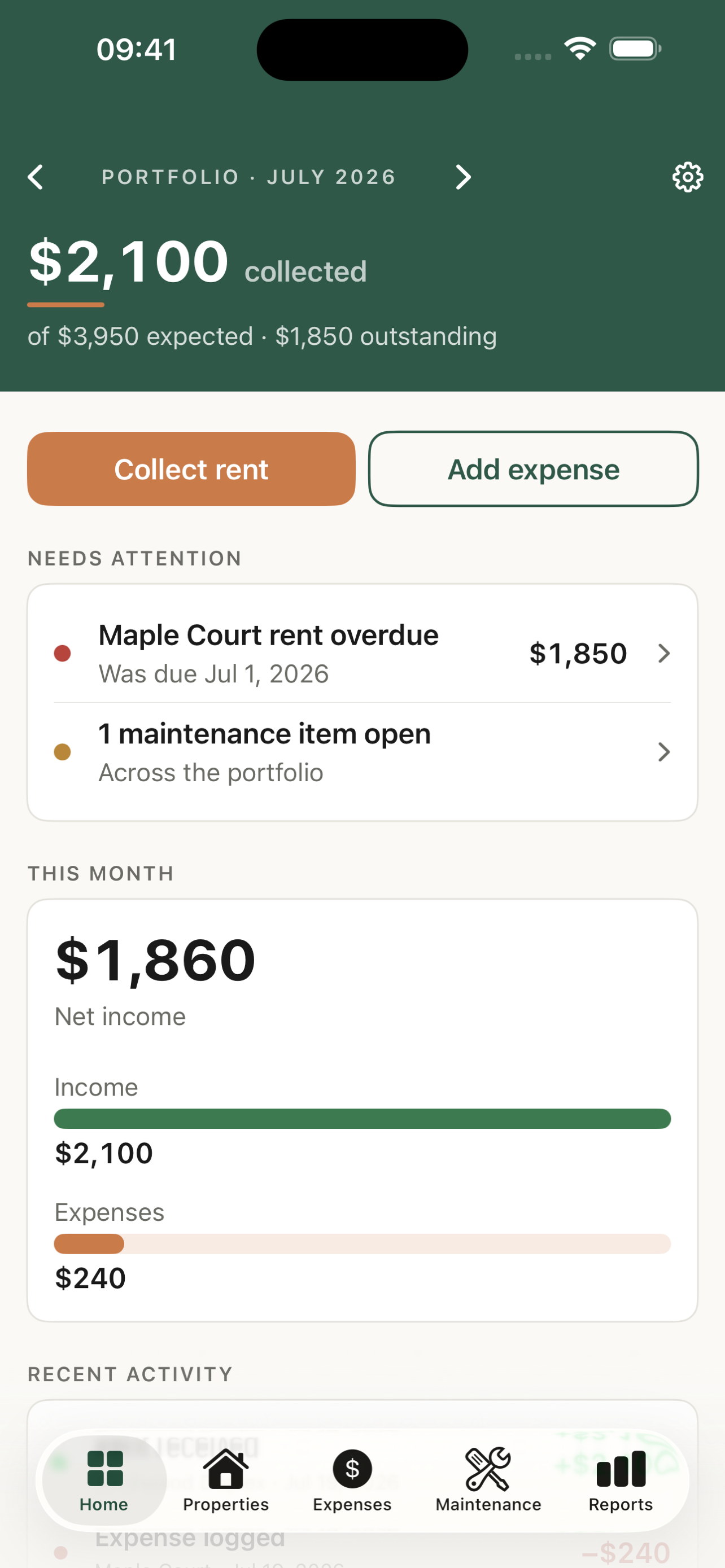
A dashboard that answers first
Collected, expected, and outstanding rent at a glance — month by month, with what needs attention up top.
For small, self-managing landlords
Track rent, expenses, and maintenance for your properties — log a payment or snap a receipt in seconds, and hand your accountant clean numbers at tax time.
What it does
Built for one to twenty units, not a property-management team. Every figure is derived, so logging one payment updates every screen at once.
Collected, expected, and outstanding rent at a glance — month by month, with what needs attention up top.
Log payments and see Paid, Partial, Due, or Overdue — including early or future-month rent, handled correctly.
Categorized to IRS Schedule E, with a receipt photo on each one — so your export lines up with how rentals are filed.
Track repairs per unit — status, cost, notes, and as many photos as the job needs.
Per-property and portfolio summaries, exportable as PDF or CSV for your own records or your accountant.
Optional local notifications before rent is due, per lease — no server, no account, entirely on your phone.
Simple, honest pricing
One property with one unit is free to use in full. When you're ready for more, a single purchase unlocks everything — no subscription, ever.
Private by design
RentalVault has no account, no server, and no tracking. Your properties, tenants, and finances are stored only on your iPhone — you decide if they're ever backed up, through your own iCloud settings.